TK1971 Login Process — Sign In Page

TK1971 is one of the most actively used gaming platforms in Bangladesh, with over 700,000 registered players. Logging in gives you instant access to your balance, betting history, active bonuses, deposit and withdrawal forms, and VIP rewards. This guide covers every login method available - phone number, Google, Telegram - plus what to do if something goes wrong.

Where to Find the Login Button

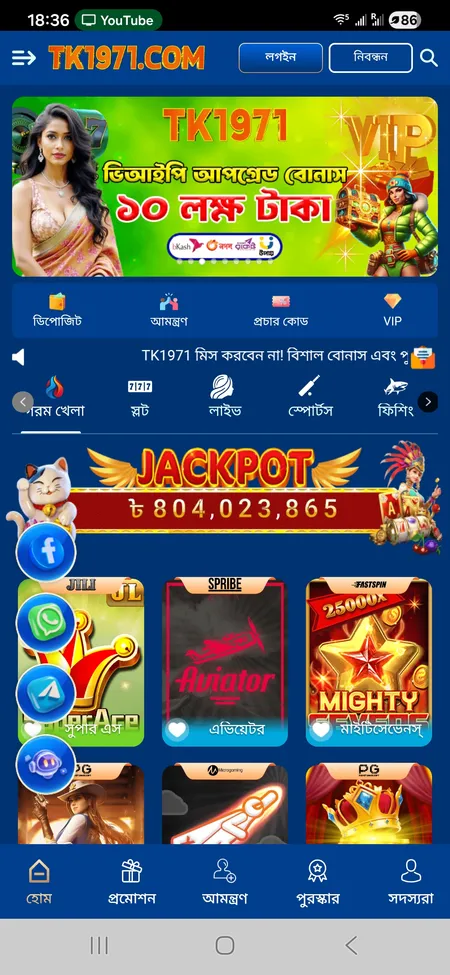
On the TK1971 website, the login button sits in the top-right corner of every page - labeled 'লগইন' in Bengali. On mobile, it appears next to the 'নিবন্ধন' (Register) button in the fixed header. You can also reach the login form directly through any mirror domain: tk1971game.com, tk1971.org, or alternates like tk1971.xyz and tk1971hub.com. All mirrors use the same credentials - no separate accounts needed.

Inside the mobile app, the login screen loads automatically if you are signed out. The same header button layout applies: Login on the right, Register on the left.

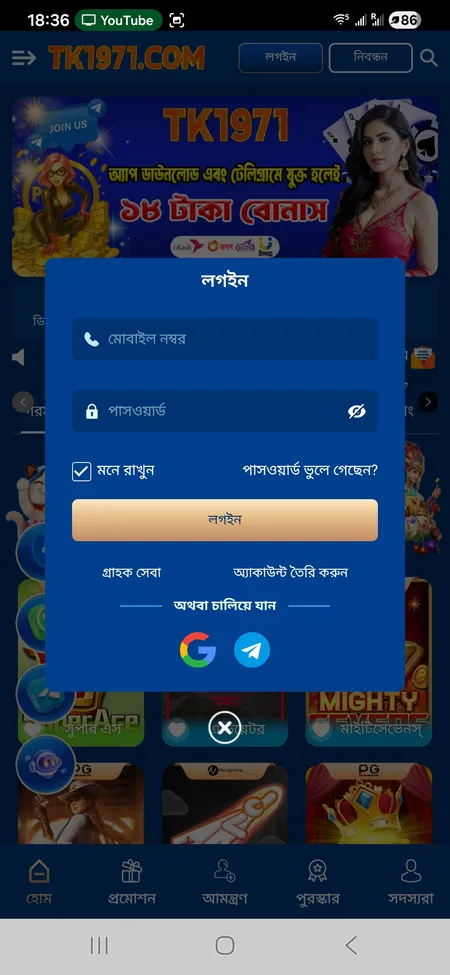
TK1971 login form with phone number and password fields

The login popup shows fields for mobile number and password, a 'Remember me' checkbox, Forgot password link, and quick sign-in via Google or Telegram.

Login Form: What Each Field Does

The login popup contains the following elements:

Field Purpose
Mobile Number (মোবাইল নম্বর) Your registered Bangladeshi phone number
Password (পাসওয়ার্ড) The password set during registration
Remember Me (মনে রাখুন) Keeps the session active on this device
Forgot Password link Opens account recovery flow
Login button Submits the form
Google / Telegram One-tap sign-in via linked social account

Enter your mobile number in the standard Bangladeshi format (01XXXXXXXXX), type your password, and tap 'লগইন'. The platform processes the request and redirects you to the home screen with your balance visible.

Open TK1971 and Log In

Three Ways to Log In to TK1971

1. Phone Number and Password

This is the default method. You registered with a Bangladeshi mobile number - use that number plus the password you created. It works on both the website and the Android APK app. The session stays active until you manually log out or the browser cache is cleared.

2. Google Account

Tap the Google icon on the login screen. You will be redirected to Google's standard OAuth flow. Once authorized, TK1971 links the Google account to your player profile. Useful if you prefer not to remember a separate password.

3. Telegram

TK1971 also supports Telegram-based login. Tap the Telegram icon, approve access in the Telegram app, and you are signed in. This is popular among players who already follow TK1971's official Telegram channel for promo codes and updates.

Step-by-Step Login Process

  1. TK1971 home screen with Login button

    Open tk1971game.com or launch the TK1971 app. Find the 'লগইন' button in the top-right corner of the screen.

  2. TK1971 login popup with input fields

    The login popup opens. Enter your registered mobile number and password in the corresponding fields.

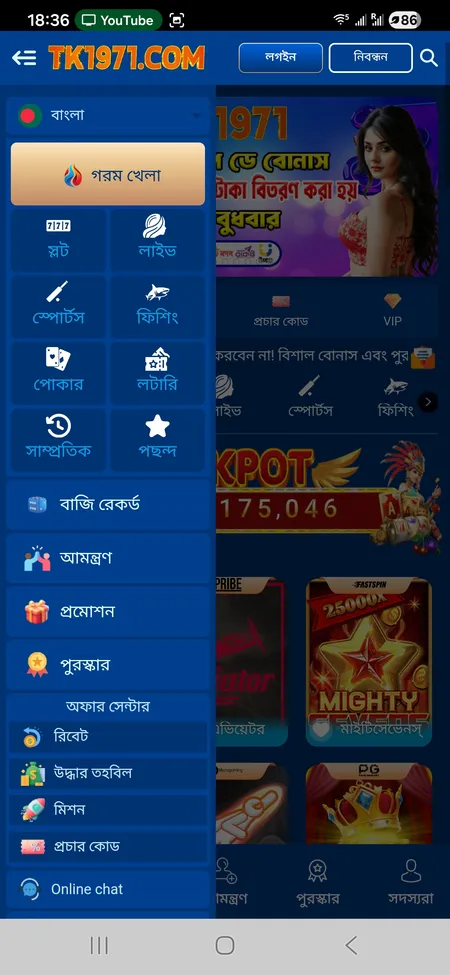
  3. TK1971 side menu after successful login

    Tap 'লগইন'. After successful authentication you will see your account balance, VIP level, and access to the full side menu.

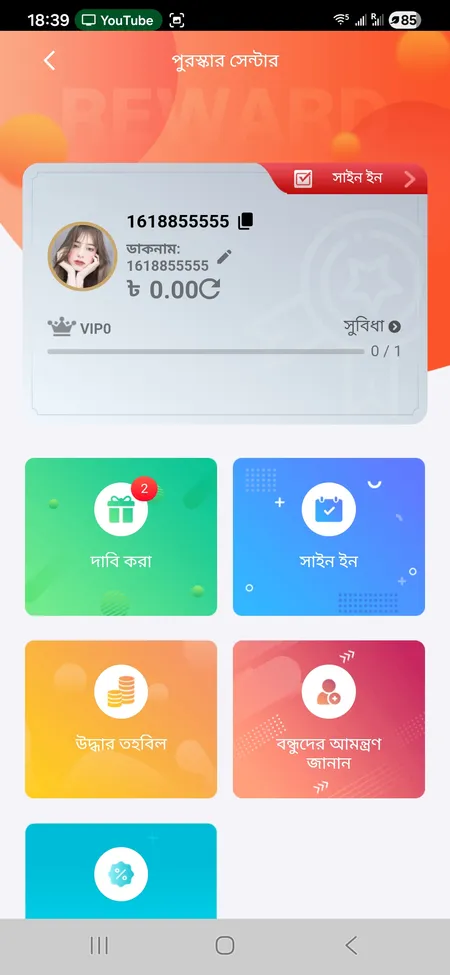
  4. TK1971 reward center after login

    Navigate to the Reward Center to check active bonuses, daily sign-in rewards, and your VIP upgrade progress.

Already registered? Log in to TK1971 and check your active bonuses, VIP level, and today's missions.

Logging In via the Mobile App

The TK1971 Android app is not available on Google Play - download the APK directly from the official site or through the TK1971 app page. iOS users access the platform through a web shortcut optimized for Safari.

After installing the APK, open the app and tap 'লগইন'. The form is identical to the web version. Key app-specific features after login:

  • Biometric login (fingerprint or Face ID) if enabled on your device
  • Push notifications for match results and bonus alerts
  • Faster page loads compared to mobile browser
  • Single login synced across web and app - same credentials, same session

The app supports the 'Remember me' function, so you typically only need to log in once per device unless you manually sign out or reinstall.

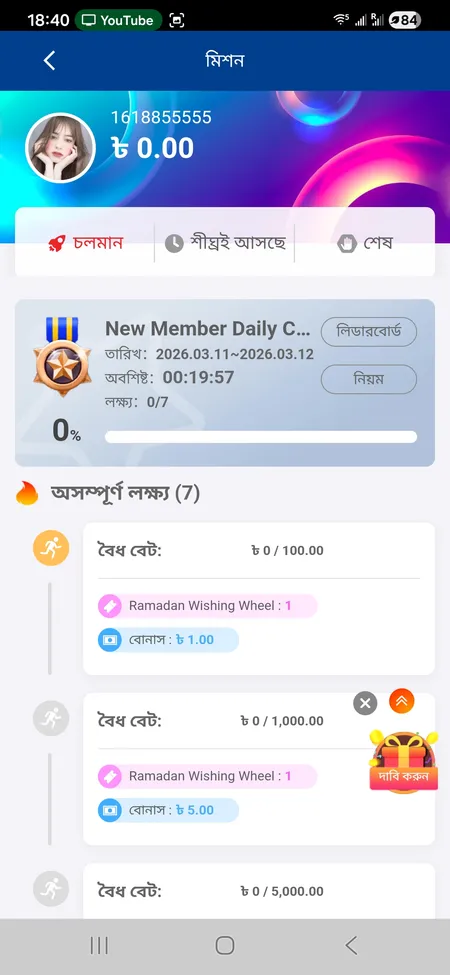
TK1971 missions screen visible after login

After logging in, the Missions section shows ongoing challenges, valid bet targets, and claimable rewards with countdown timers.

Password Recovery: How to Regain Access

If you forget your password, TK1971 routes account recovery through its 24/7 support team rather than a self-service email reset. Here is how to proceed:

  1. Tap 'পাসওয়ার্ড ভুলে গেছেন?' (Forgot password?) on the login form.
  2. Contact TK1971 support via Online Chat, Telegram, or WhatsApp.
  3. Provide your registered mobile number and User ID (visible in your profile).
  4. The support agent verifies your identity and assists with a password reset.

Response time is stated as 2-5 minutes for most requests. Support is available in both Bengali and English around the clock.

Do not share your password or transaction PIN with anyone claiming to be TK1971 staff in private messages. Official support operates only through the platform's verified channels: Online Chat on the site, the official Telegram account, and WhatsApp. Deposits through unofficial channels are not covered by the platform's dispute process.

Common Login Issues and How to Fix Them

Problem Likely Cause Fix
'Incorrect password' error Typo or wrong account Double-check the phone number; use Forgot Password
Page not loading Domain blocked or ISP filter Try an alternate mirror like tk1971.xyz or tk1971hub.com
Session expired immediately Browser cache or cookies cleared Enable cookies; use the app instead
Google login not working Browser popup blocked Allow popups for the TK1971 domain
App login fails after update Outdated APK Re-download the latest APK from the official site
Account locked Multiple failed attempts or antifraid flag Contact support with your User ID

One important rule: TK1971 allows only one account per player. If the system detects the same phone number, IP address, or payment method linked to multiple accounts, it treats this as a violation. Affected accounts may be frozen. If you have an issue like this, contact support directly.

Visit TK1971 Official Site

Account Security After Login

TK1971 recommends enabling two-factor authentication (2FA) to protect your account. Additional security practices worth following:

  • Use a unique password not shared with other services
  • Avoid logging in on public Wi-Fi or shared devices
  • Enable the 'Remember me' option only on personal devices
  • Log out manually if using a shared browser
  • Never enter your credentials on unofficial domains - always verify the URL

The platform uses SSL encryption on all pages and monitors transactions for unusual activity. If a new device logs into your account, TK1971 may trigger additional verification. The Logout option is located in the side menu under 'সদস্যরা' (Members) - 'লগআউট'.

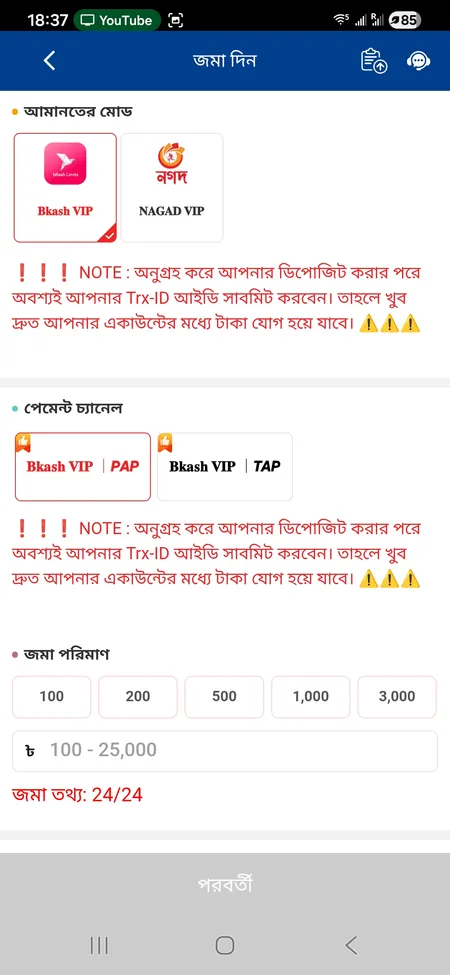
TK1971 deposit form after login

After Login: What You Can Access

Once signed in, your full profile becomes available: wallet balance in BDT, deposit and withdrawal forms (bKash, Nagad, Rocket), betting history, VIP level indicator, Reward Center with daily check-in bonuses, active missions, and the referral dashboard. The 'My Account' section also lets you upload an avatar and set a transaction password for withdrawals.

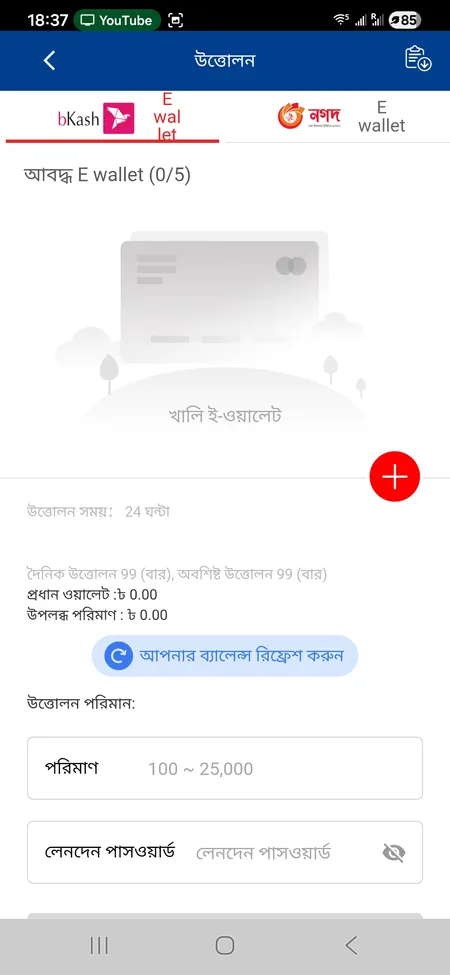
TK1971 withdrawal form with bKash and Nagad options

KYC and Withdrawal Access

To withdraw funds, your profile name must match the name on your bKash or Nagad account. TK1971 may request identity verification (KYC) before processing larger withdrawals. Minimum withdrawal is 100 BDT, maximum is 25,000 BDT per transaction, with up to 99 withdrawals per day. If KYC is pending, the withdrawal form stays locked until verification is complete.

Signing Up If You Do Not Have an Account Yet

Login requires an existing account. If you have not registered, the process takes under two minutes. Visit the TK1971 registration page and fill in your Bangladeshi mobile number, set a password, and confirm it. One account per phone number and IP address is permitted. After registration, the same mobile number and password are used to log in everywhere - website, app, and all mirror domains.

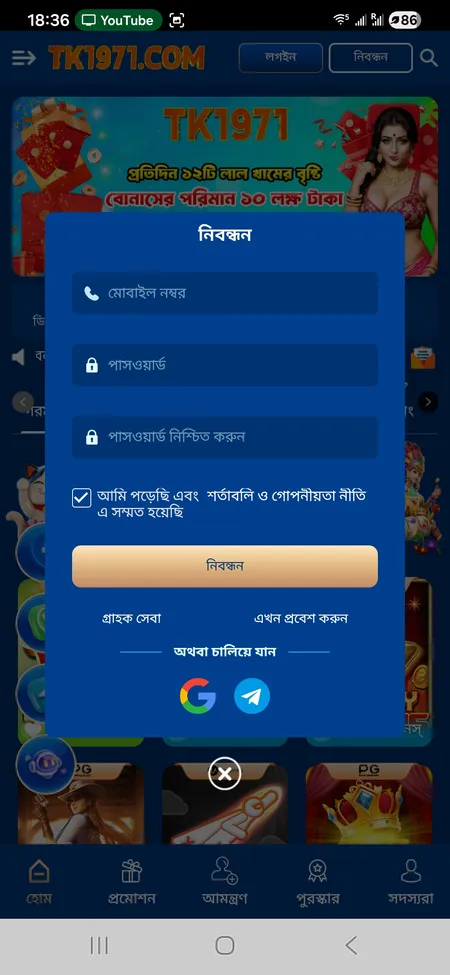
TK1971 registration form with mobile number and password

The registration form requires a mobile number, password, and confirmation. Google and Telegram sign-up options are also available.

Login FAQ

What do I use to log in - phone number or username?

TK1971 uses your registered Bangladeshi mobile number (01XXXXXXXXX format) as the login identifier. There is no separate username field.

Can I log in with Google if I registered by phone?

Yes, as long as the Google account was linked during or after registration. If it was not linked, use your phone number and password.

Why does TK1971 keep logging me out?

This usually happens when browser cookies are cleared or the session expires. Enable the 'Remember me' checkbox and avoid private/incognito browsing mode.

I entered the correct password but it still says wrong. What now?

Check that you are entering the phone number in the correct format. If the issue persists, use the Forgot Password link and contact support.

Is the login the same on the app and the website?

Yes. TK1971 uses a single account system. The same credentials work on tk1971game.com, tk1971.org, all mirror domains, and the Android APK app.

How do I log out from all devices at once?

TK1971 does not currently offer a self-service 'sign out everywhere' button. Contact support to request a full session reset if you suspect unauthorized access.

What happens if my account gets locked?

Accounts can be locked after multiple failed login attempts or an antifraid flag. Contact TK1971 support via Telegram or Online Chat with your User ID to resolve this.

Does TK1971 support biometric login?

Yes, the Android app supports fingerprint and Face ID login once you have signed in at least once and enabled biometrics in your device settings.

Can I have two accounts and log into both?

No. TK1971 strictly enforces one account per player. Multiple accounts from the same device, IP, or phone number are treated as a violation and may result in account suspension.

I forgot my User ID. How do I find it?

Your User ID is visible in the 'My Account' section after login. If you cannot log in, provide your registered mobile number to the support team and they will locate your account.

Log in to TK1971 now to access your balance, active bonuses, and today's missions. bKash and Nagad deposits start from 100 BDT.